Thoughtfully made for dietitians
Your expertise.Their everyday.
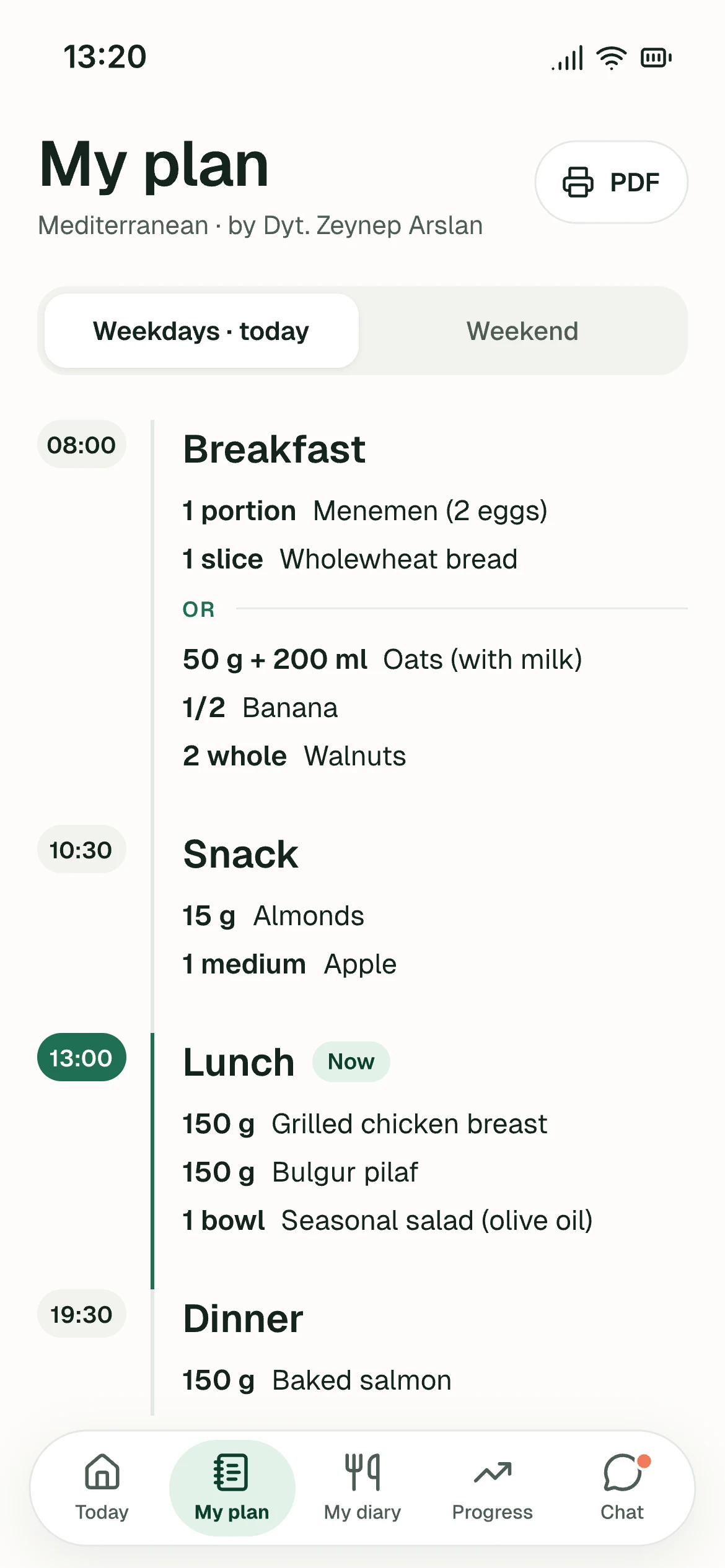
The meal plan you write, on your client’s phone — line for line. Bring your plans, follow-ups and appointments together, in a space that feels like you.
No card required. Help getting started is included.
From your desk to their day
Your care, always connected.

Your practice. Their pocket. One connection.
- Clients never see calories
- Your name and logo
- GDPR consent built in
- A link, no app store


Meal plan
Your list, exactly as you wrote it
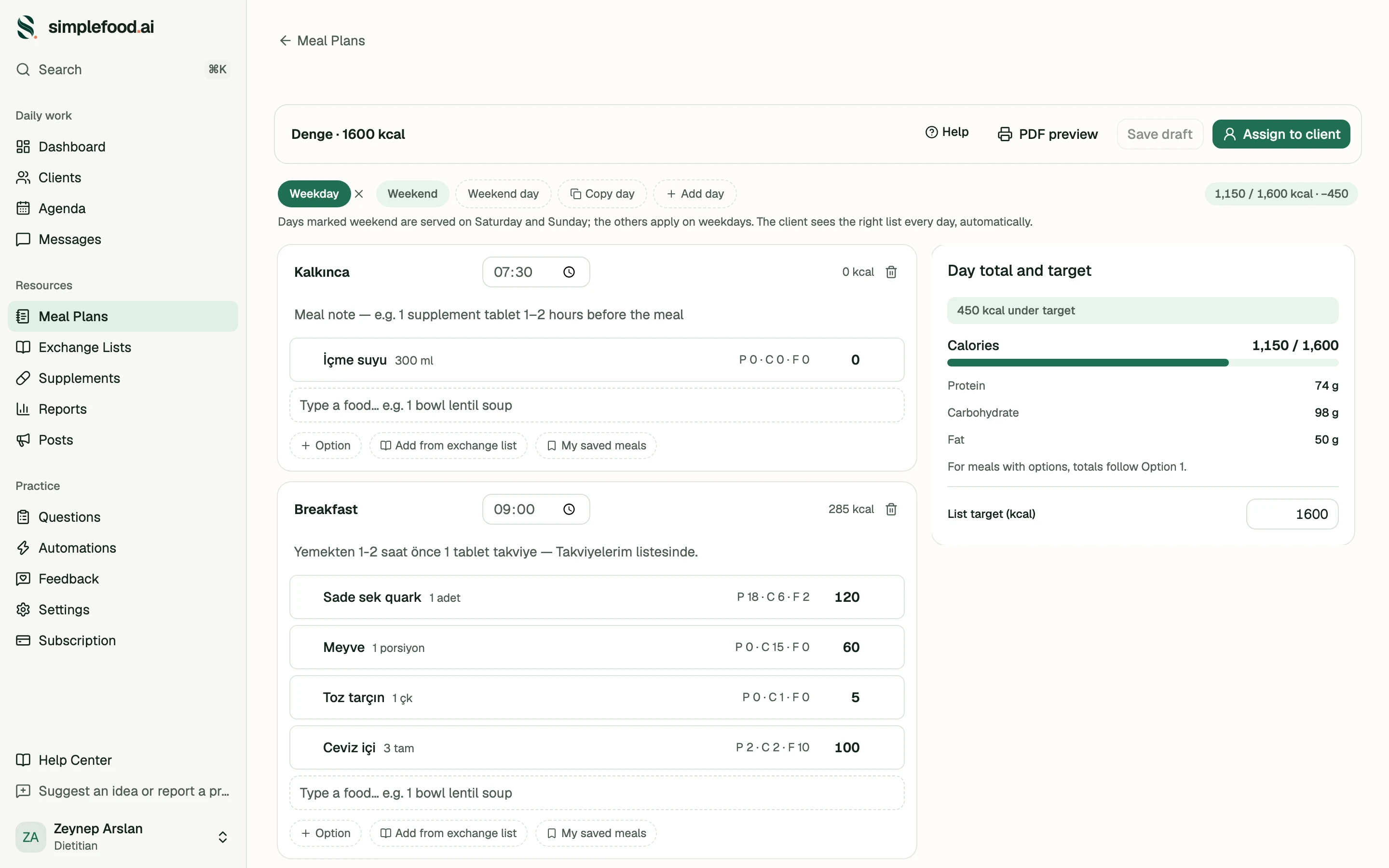
You write it the way you would in Word or Canva. Your client sees the very sheet you hand over, on their phone — and can export it as a PDF themselves.
- 01
Meals under your names
On waking 08:30, Breakfast, After training… Times are per client: the one who says “I eat at 7:30 pm” gets 7:30 pm.
- 02
Quantity before the food
“1 portion chicken”, “2 slices bread”. The first thing your client reads is the amount; the meal note sits in its own box instead of between the lines.
- 03
“Or” options
Restaurant strategy included. Clients also mark which option they ate — you see which one sticks.
- 04
No calories — anywhere
You did the maths; your client never fixates on a number. The PDF you hand over has none either, because it is the same sheet.
- 05
Weekday / weekend, short programmes
Assign a 3-day detox; the tabs become day 1, 2, 3, and at the end the client returns to their usual list.
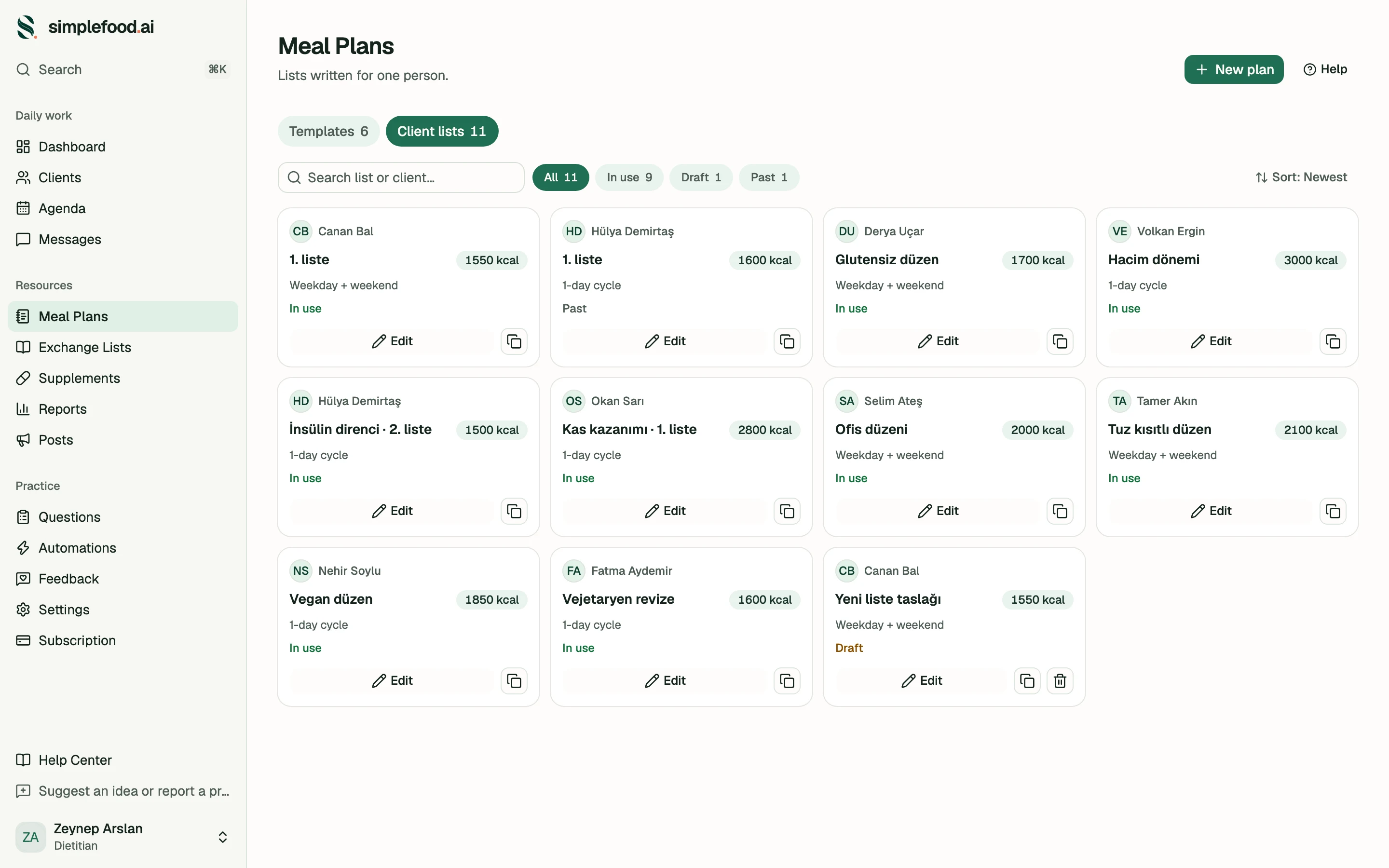
Hundreds of lists piling up?
Your templates on one side, the lists written for one person on the other — each one shows whose it is and whether it is in use, a draft or history. “What did I give Hülya in March?” is a search.
Client follow-up
Who's slipping, who's recovering — at a glance
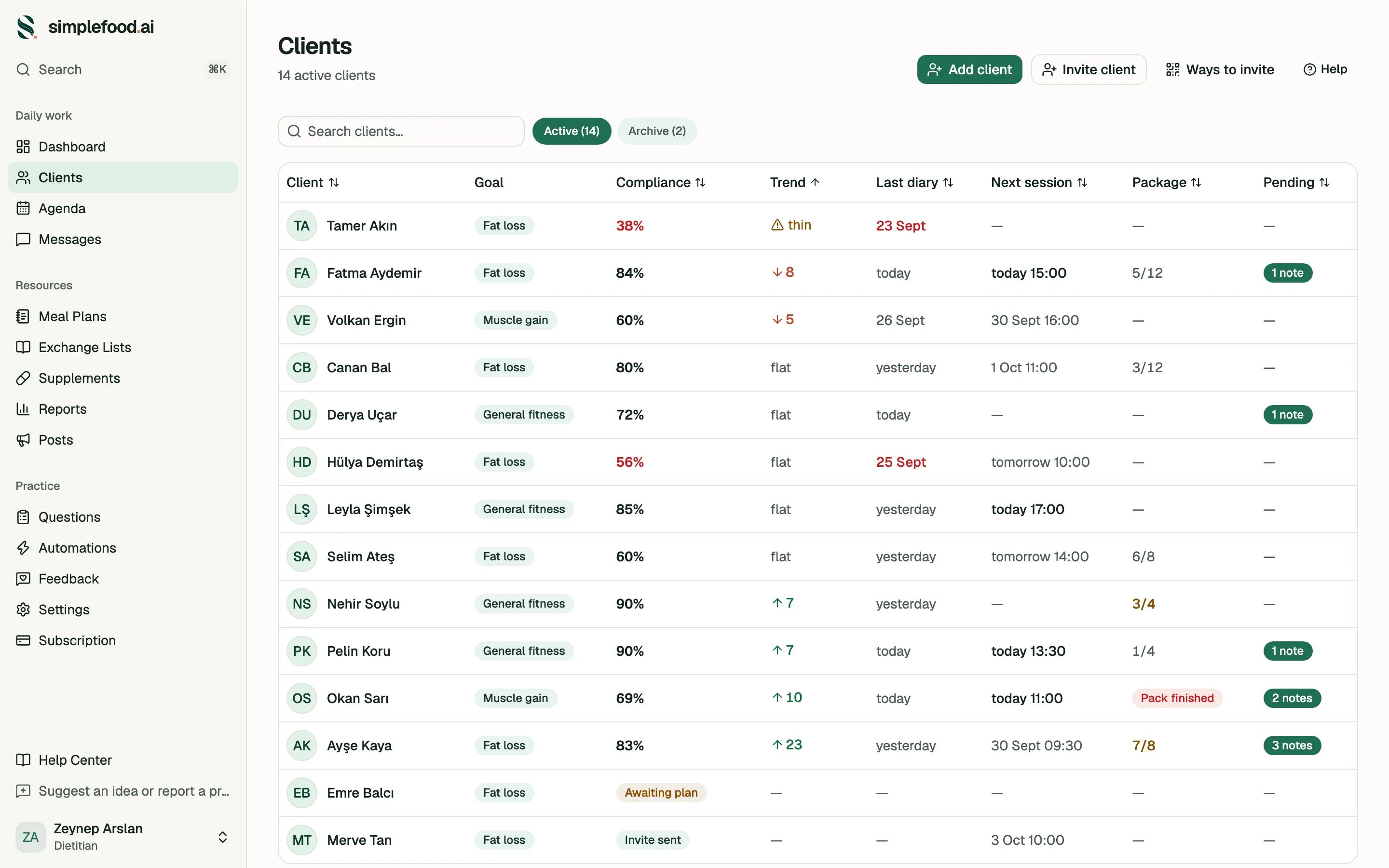
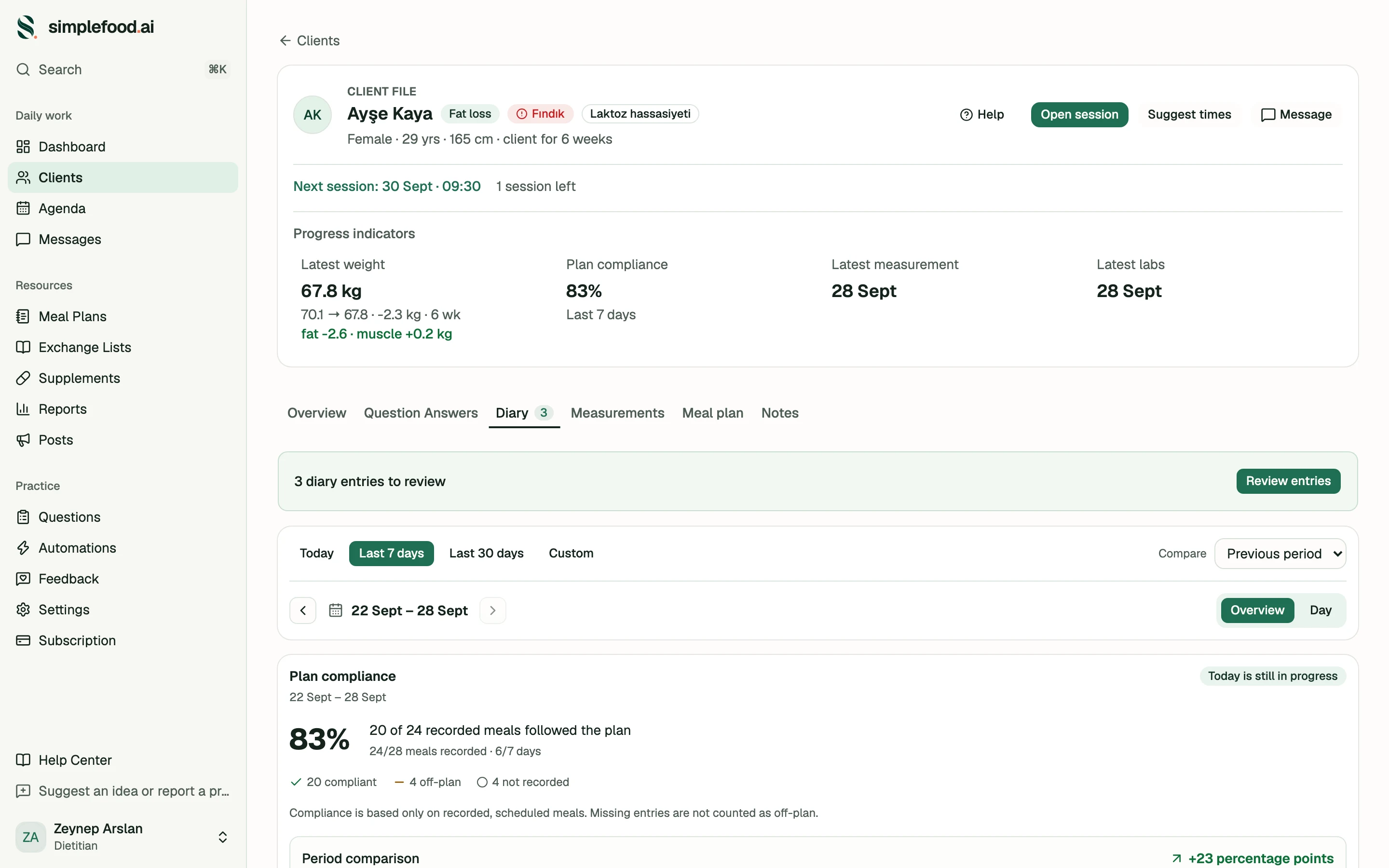
A dietitian's first question is always the same: is this client actually doing it? The compliance rate is computed from the client's own marks — not an invented score.
Compliance trend: Week · Month · All
Week
63%
6/7 days marked
20 points up
Month
57%
27/30 days marked
All
54%
38/42 days marked
vs the period before
- Breakfast100%
- Snack67%
- Lunch83%
- Dinner83%
Snack slips the most
- 01
Compliance trend: Week · Month · All
Always against the period before. One client's story in three taps: 66% all time → 69% this month → 83% this week.
- 02
Which meal slips
An average of 66% changes nobody's Tuesday. “Dinner is slipping” does — that is what you talk about at the next session.
- 03
A trend column you can sort
One click puts the client who is quietly disappearing at the top of the list. On Monday morning, this column tells you whom to call.
It knows what it doesn't know
A week with fewer than four marked days shows no direction; a difference under five points reads as “steady”. A week is about 24 meals — at that scale small differences are noise, and we don't claim they guide you.
Measurements and labs
Turn the screen around when the scale “stops”
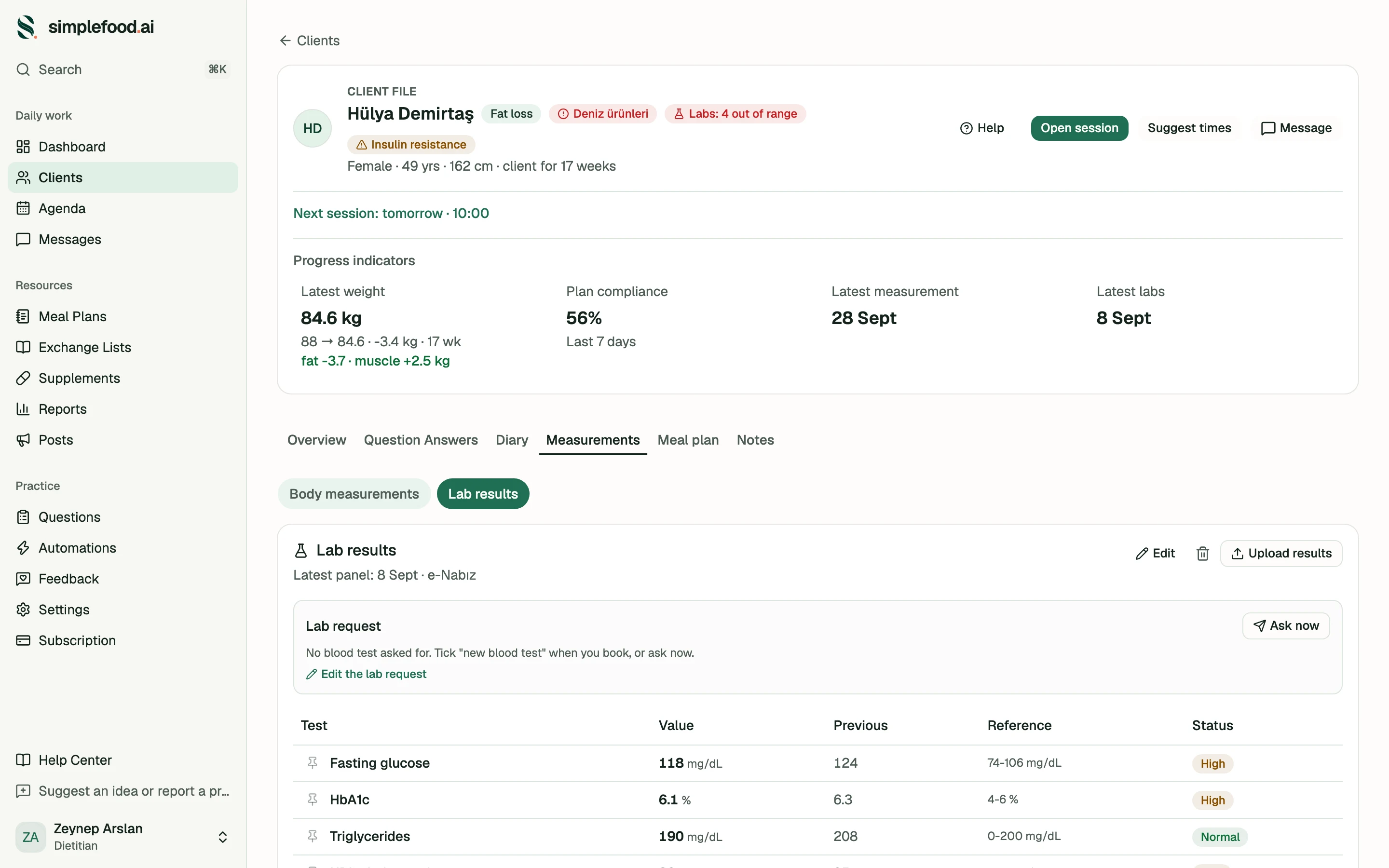
Weight 88 to 84.6, only −0.5 in the last 60 days. But fat −3.7 kg, muscle +2.5 kg, metabolic age −4. The programme is working; this is the proof. The client stays.
3 visits · 120 days
- Fat
- +0.0kg
- Muscle
- +0.0kg
- Metabolic age
- +0yrs
- 01
Body composition, visit by visit
Type in the numbers from your Tanita or InBody printout; the fat and muscle curves sit side by side. No device? Calipers, tape or height–weight — the calculation itself is on screen, so you can explain it to your client.
- 02
Labs — with the report's own ranges
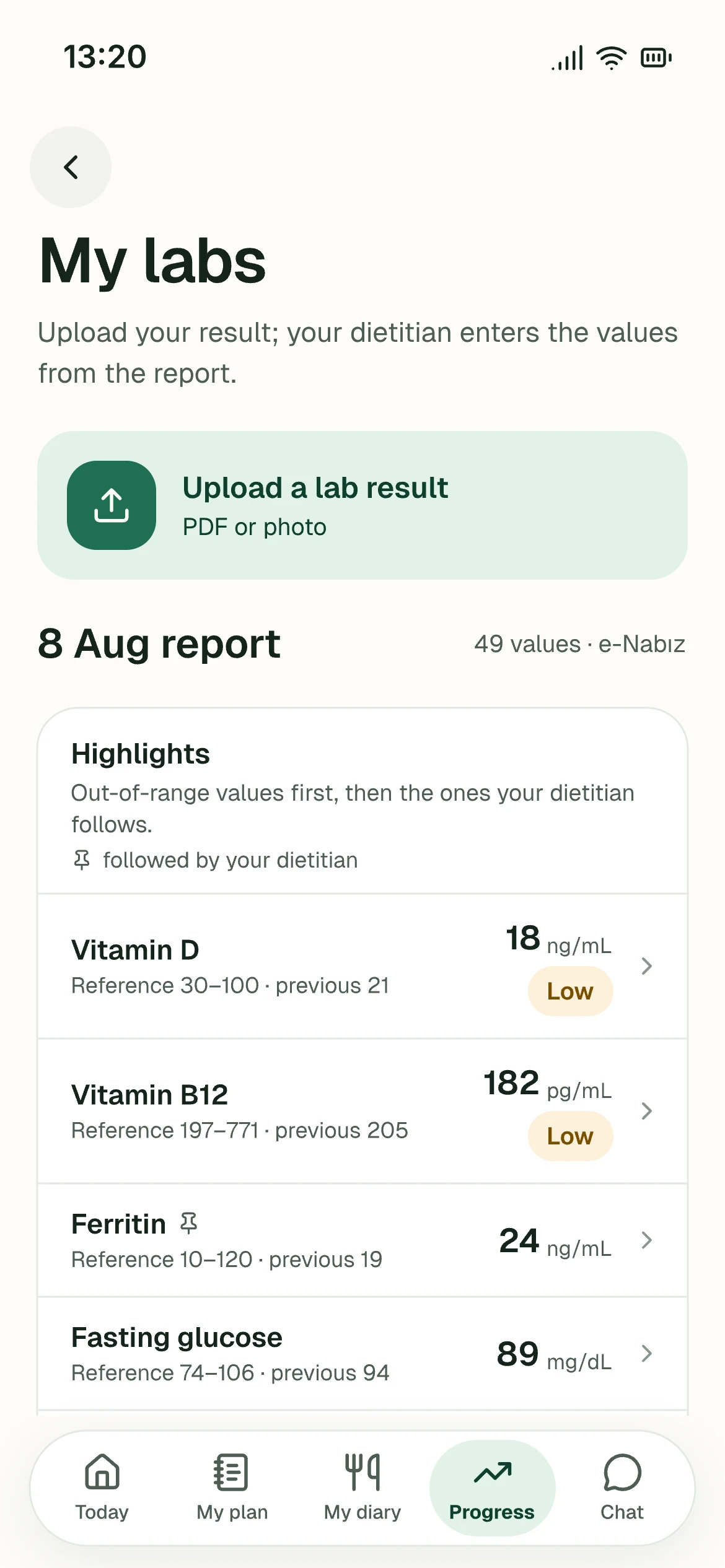
Paste the lab report or let the client upload it: the rows are read and the reference range is the one the reporting lab printed. A row without a range shows no status — a green “Normal” is a medical claim.
- 03
Latest and previous side by side
Fasting glucose 118 ← 124, HbA1c 6.1 ← 6.3. Out-of-range rows first; the rows you pin come first in the client's app too.
Automations
It works while you're away
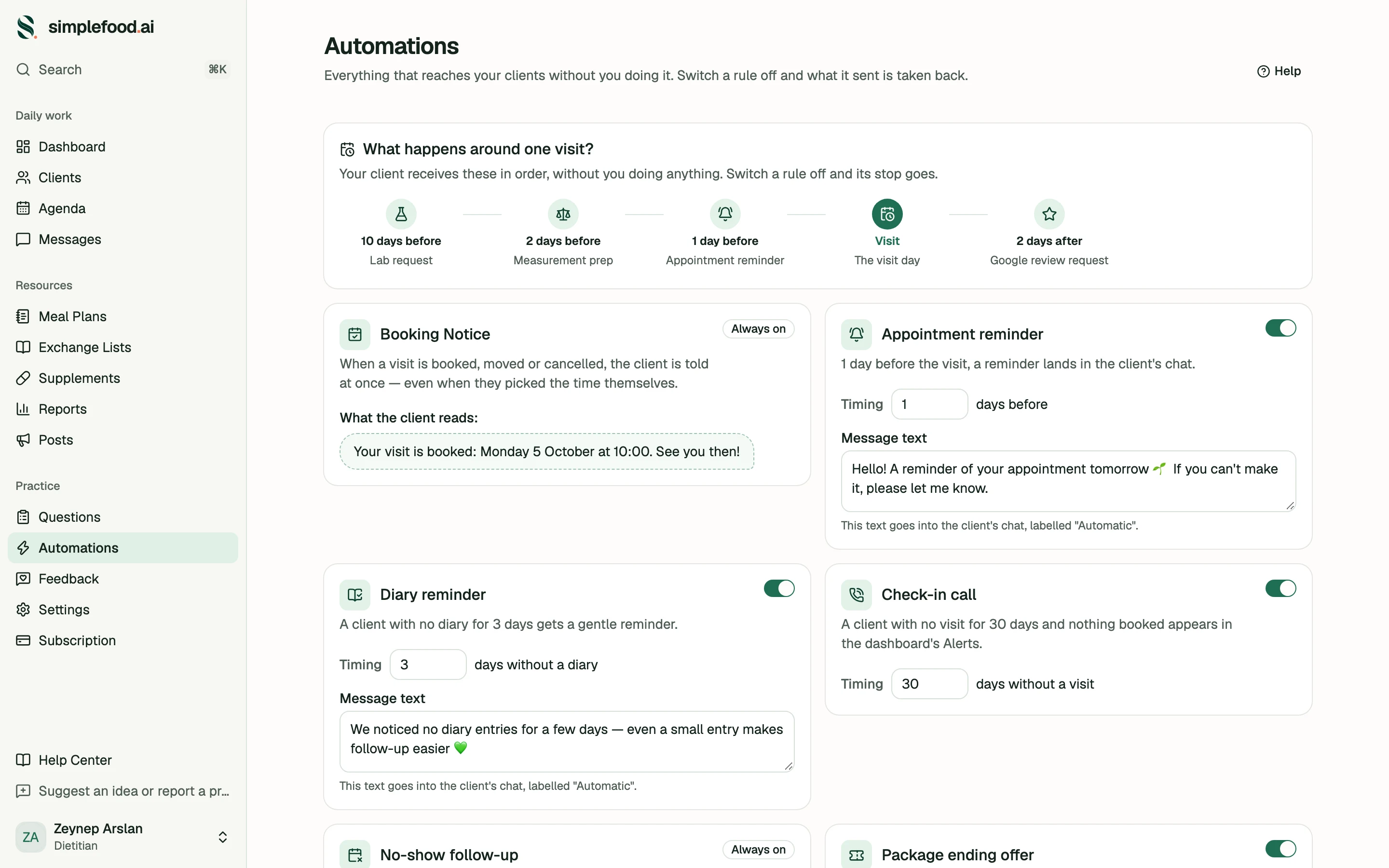
Around one appointment, all of this happens without you doing anything.
- −10 daysLab request
- −2 daysMeasurement prep
- −1 dayAppointment reminder
- AppointmentSession
- +2 daysGoogle review request
- 01
Every sentence is yours
The reminder text, the measurement-prep items, the tests you want, how many days ahead — you write all of it. You can add rules of your own too: how many days before a session, at what time, to whom. Ours is only the starting point.
- 02
Clients don't mistake it for you
An automated message is labelled “⚡ Automatic”. You carry the responsibility, so it says so plainly.
- 03
A rule you switch off really goes quiet
Switch off the Google review request: the message leaves the client's chat. Switch it on, it comes back.
- 04
Higher on Google
Two days after a session, a happy client gets a review request on its own — the strongest lever for visibility on Google.
Smart scheduling
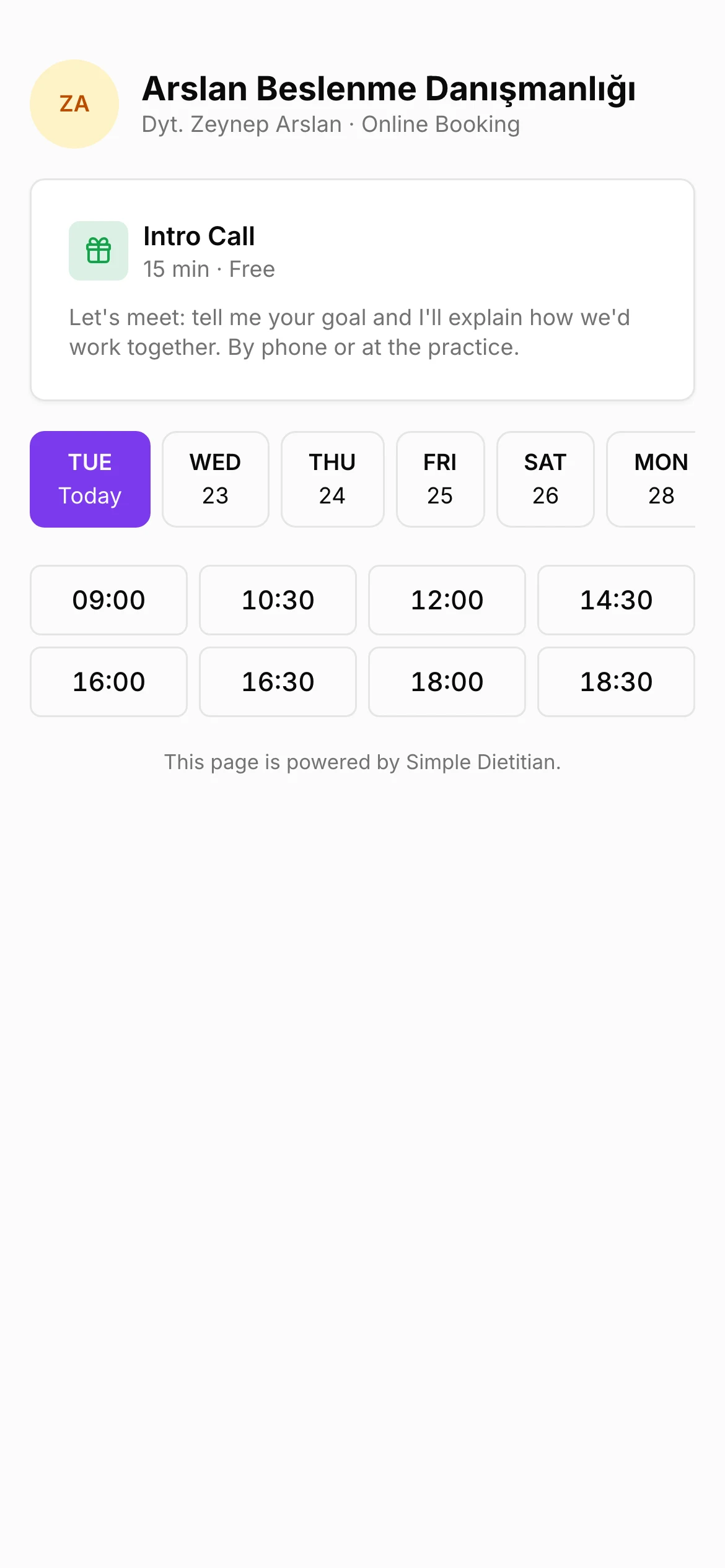
Your client never sees your calendar — only six times
Tap free half-hours to pick six options; the client takes one, the appointment lands and the client is told. Your lab and measurement requests ride on that appointment.
The client picks one
- 01
It guesses the rhythm itself
If you see someone every two weeks, the start week already says “in two weeks” — read from your past appointments.
- 02
Your cancellation rule
You set how many days' notice you want. Until then the client can cancel in the app, and nothing comes off their package. After that it's a late cancellation: you decide whether it comes off the package — the same as for a no-show.
- 03
One link for your Instagram bio
A stranger picks a free intro call from the real gaps in your calendar; it lands in the agenda as “New lead” and becomes a client in one tap.


Client app
What your client sees on their phone
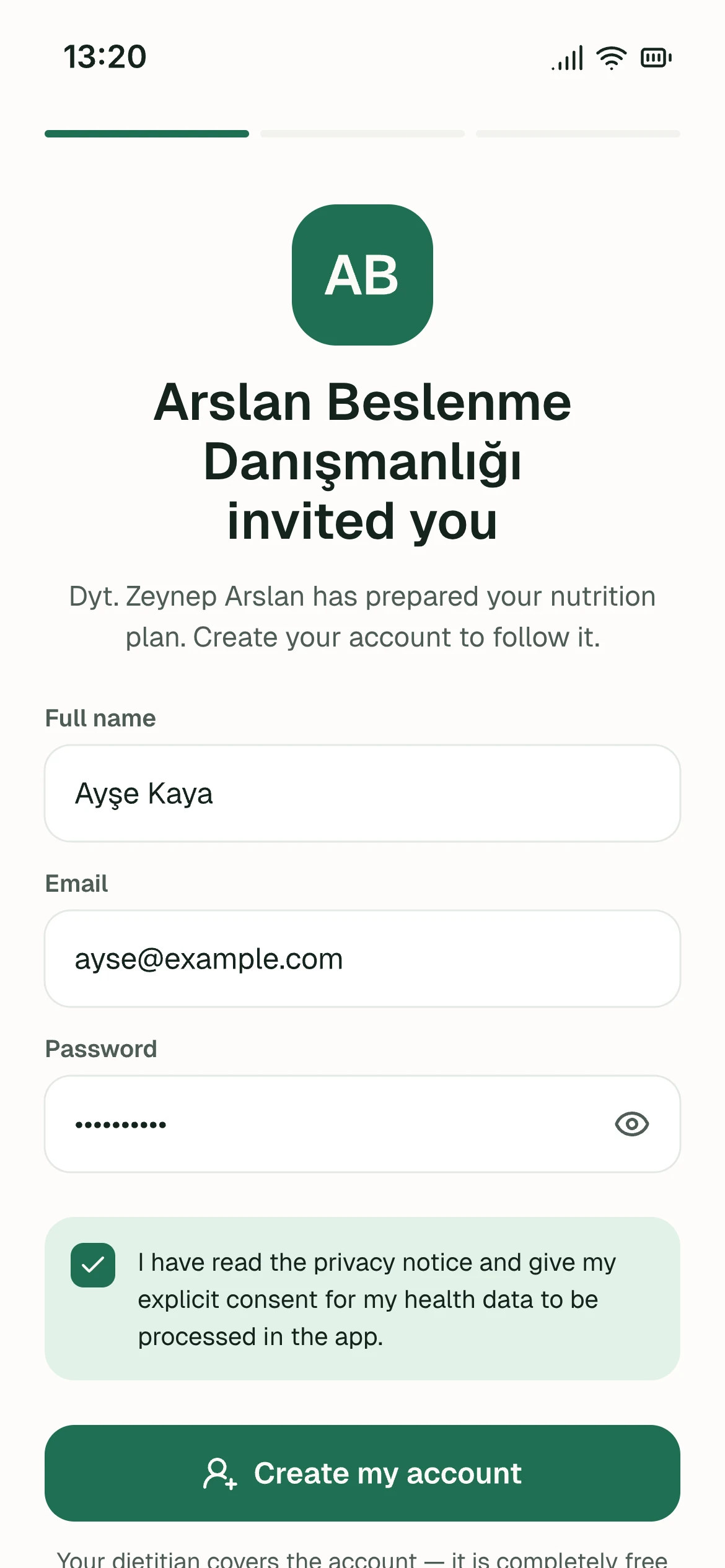
You send a link — nothing to download. The client signs up, gives consent, and sees their list the same day.
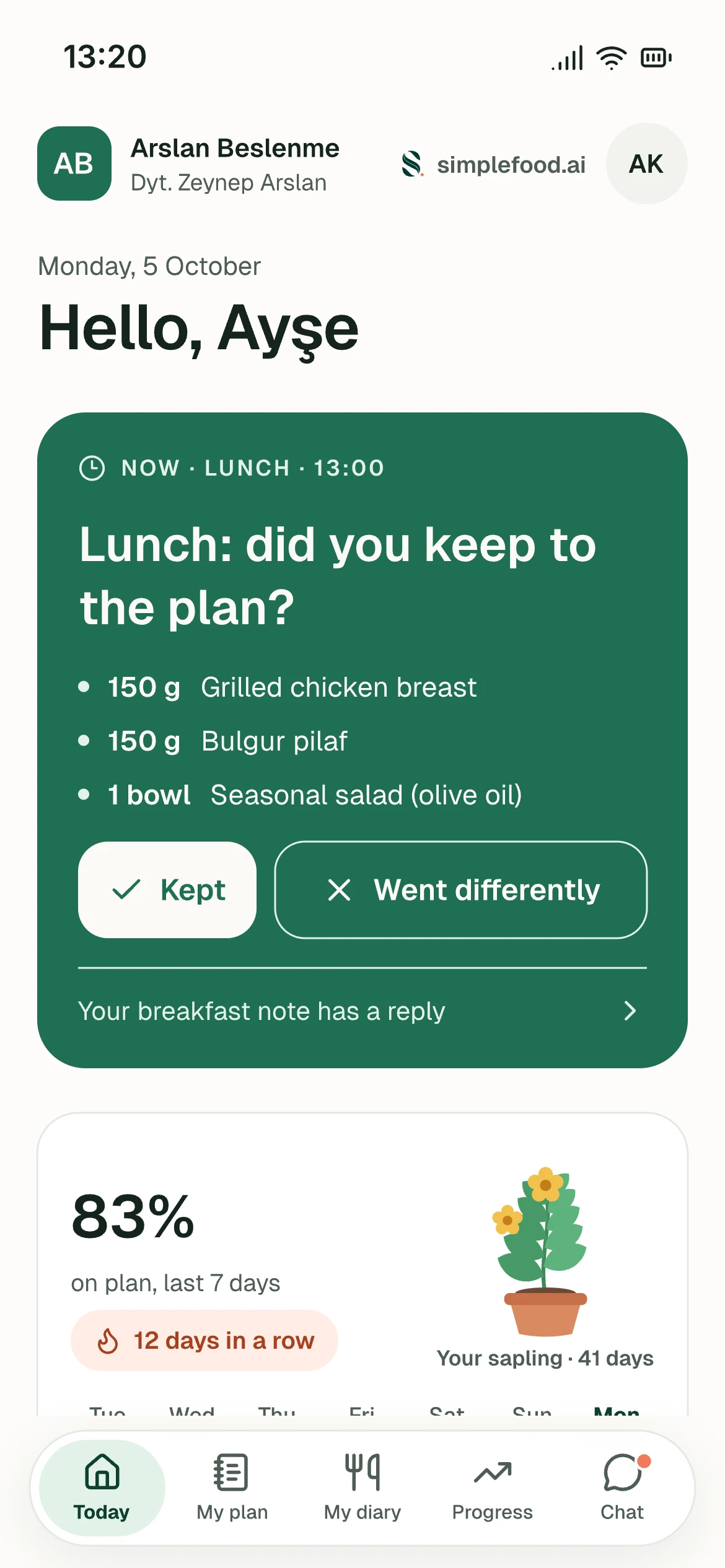
Today
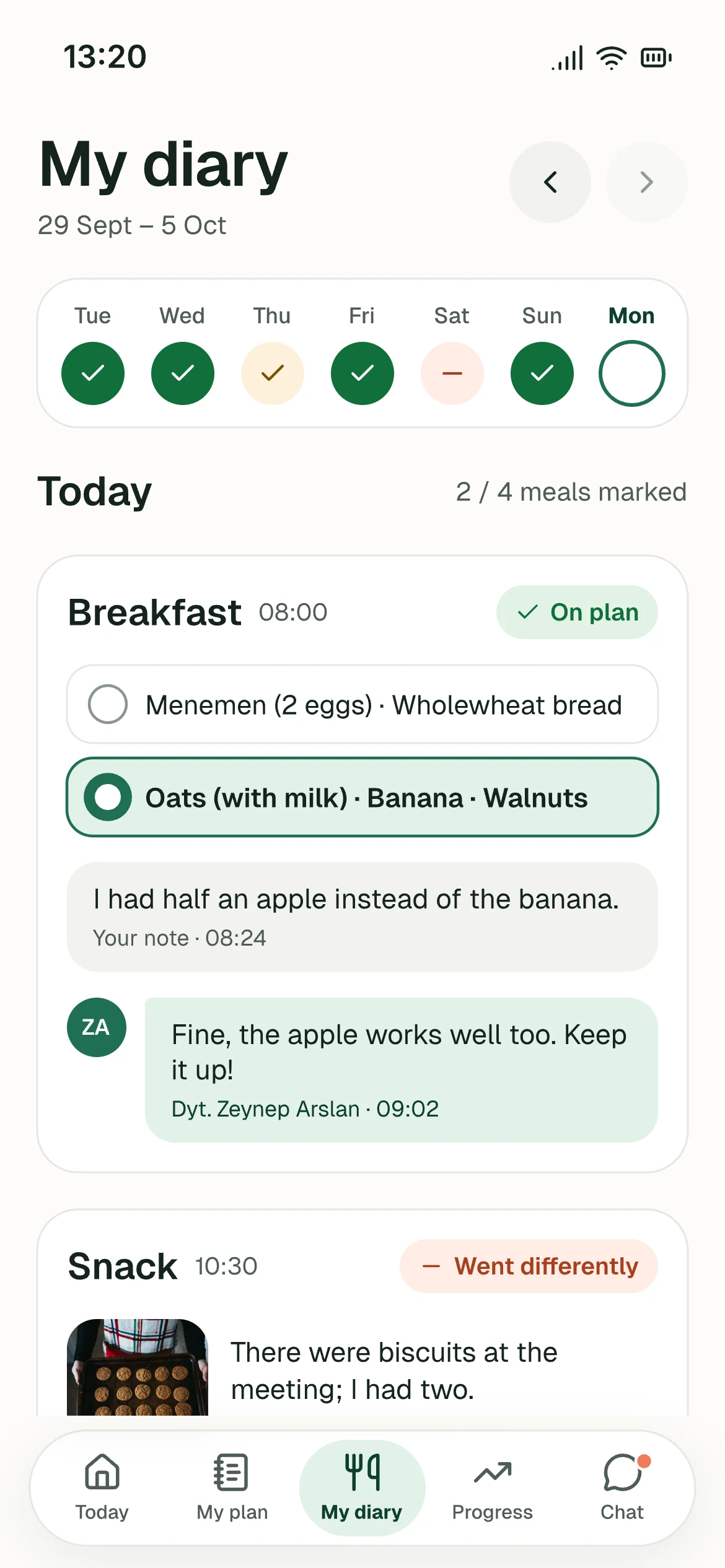
Kept / Went differently
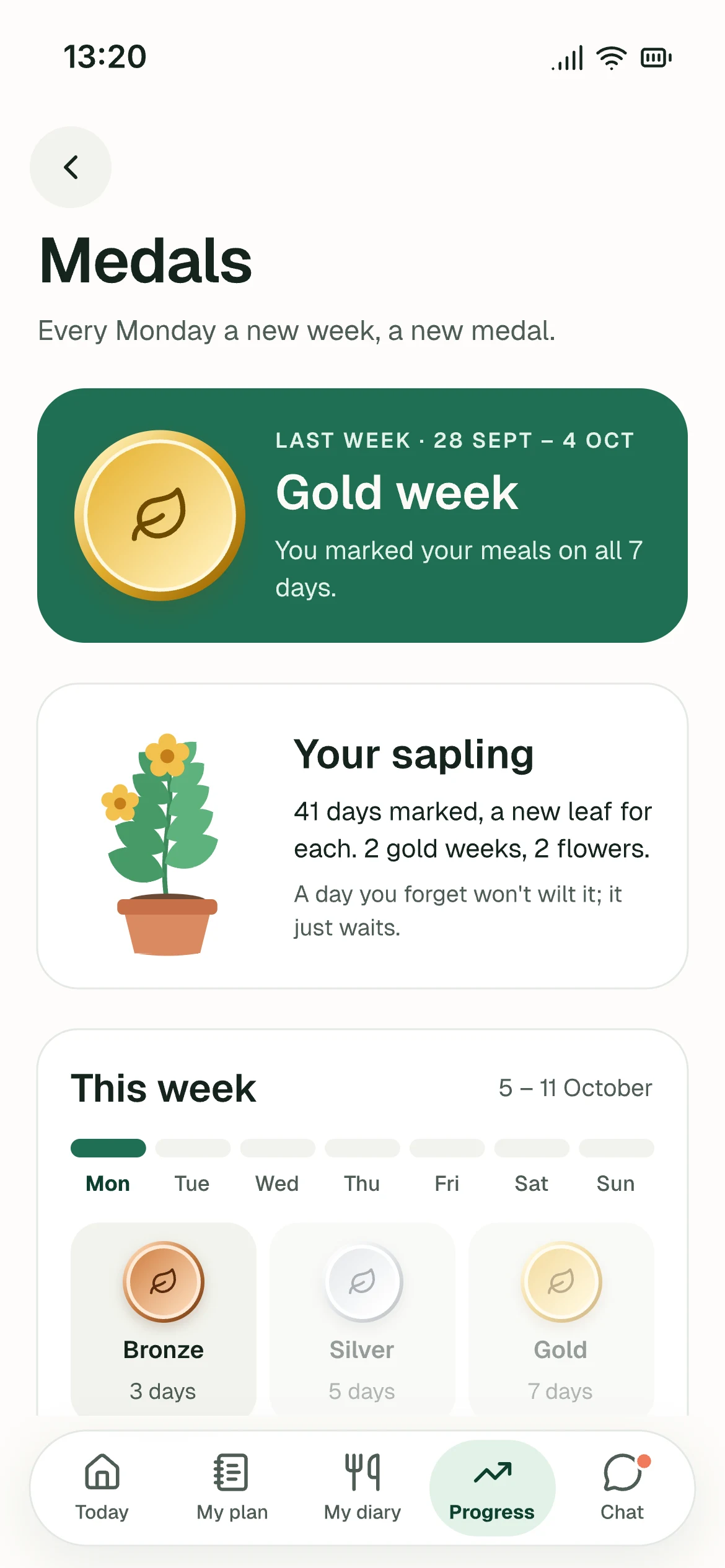
Medals and streak
Your questions
From your dietitian
My sessions
Today
The day's plan, the meals and supplements to mark, the next session and the preparation cards.
Kept / Went differently
A mark per meal, which option they ate, a note if they like and a photo of the plate. “I ate out” says nothing about the portion; the plate does.
Water · Movement · Sleep
Glass by glass, “Walk · 30 min”, “what time did you go to bed?” — you set the goal, the client only answers.
Medals and streak
Every marked day counts, “Went differently” too. A weekly bronze, silver or gold medal; one flex day a week that protects the streak; a sapling that grows with every marked day. Weight and calories are never rewarded, and you switch medals on or off for each client.
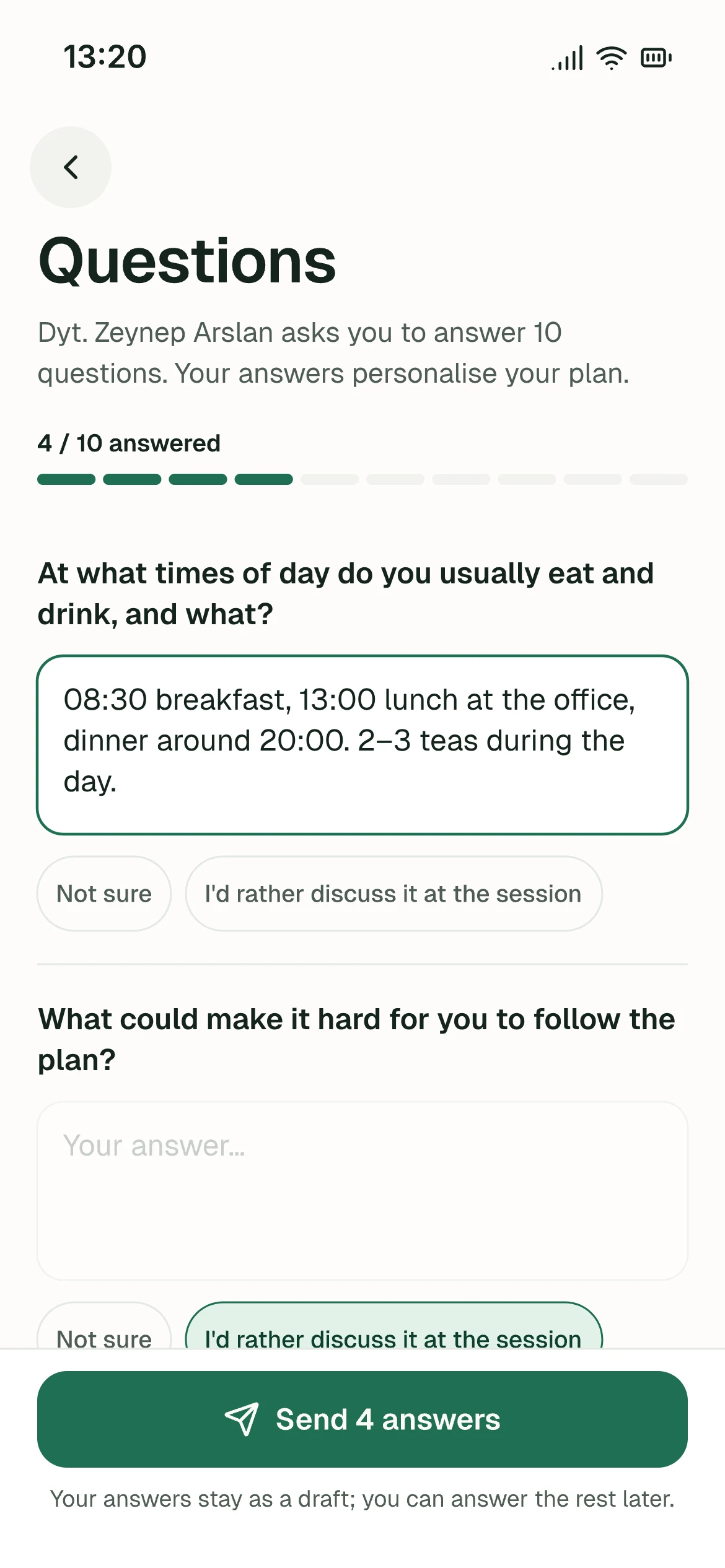
Your questions
Your 100-question intake, in the app. Which questions, in which order — you choose in the panel; the answers land in the file.
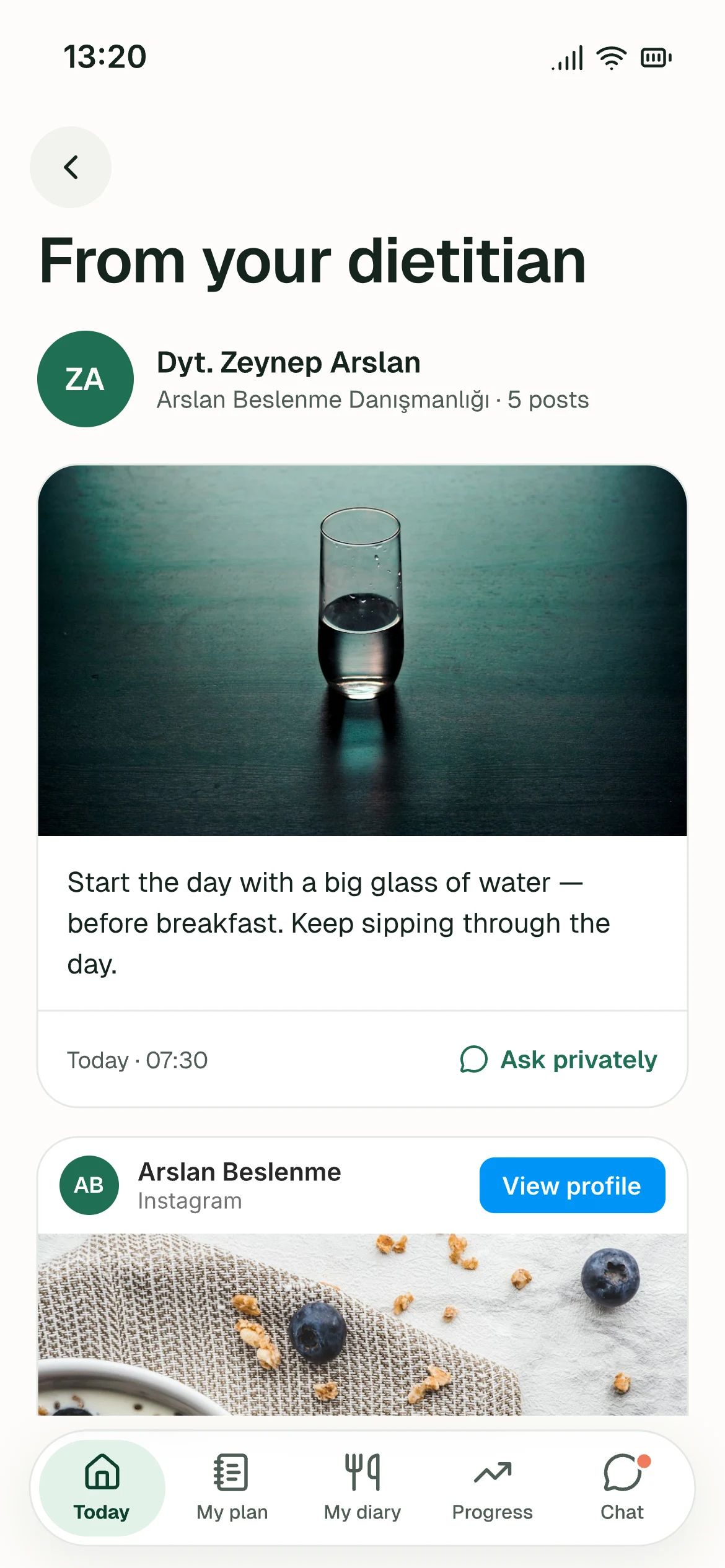
From your dietitian
Your Instagram posts themselves, embedded. Anyone with a question writes to you privately — clients never see each other.
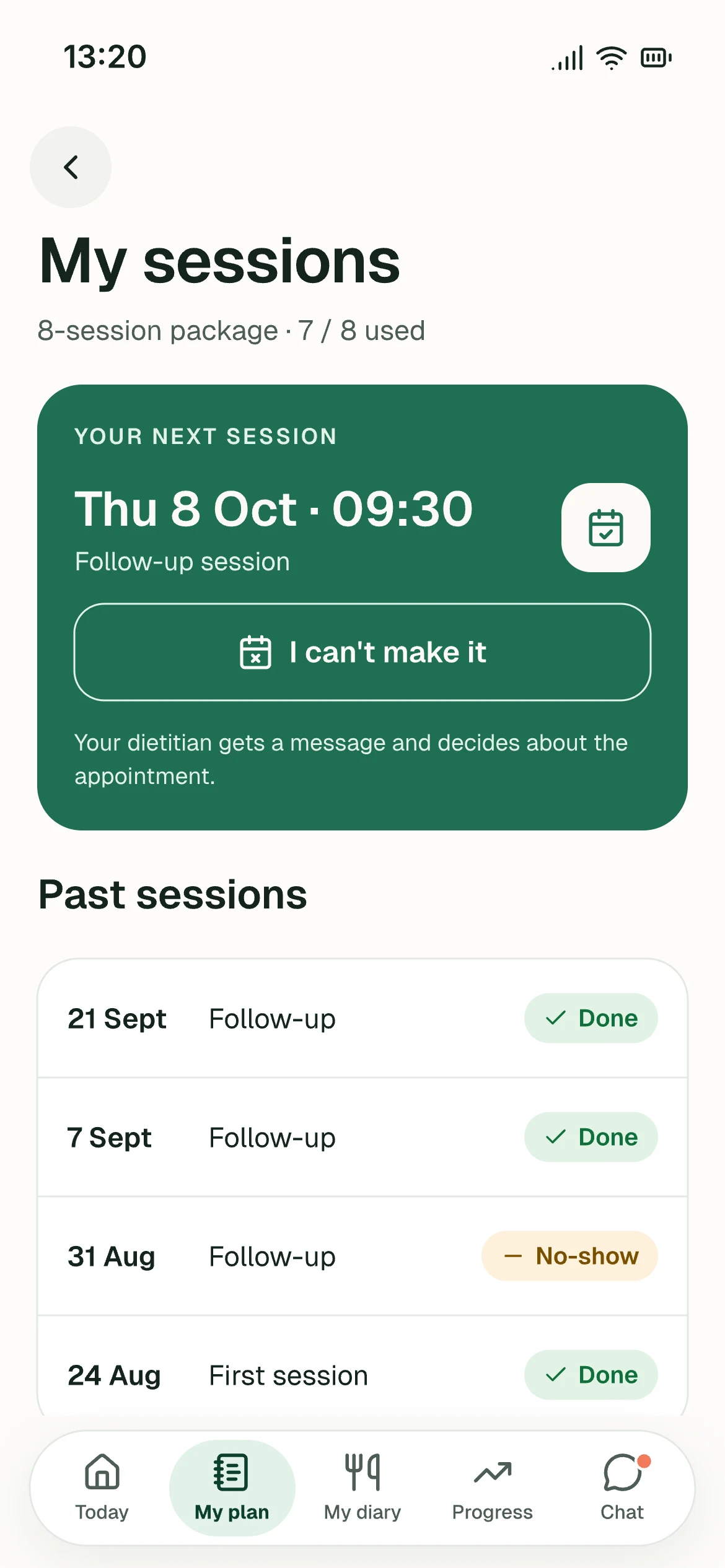
My sessions
The next appointment, past sessions, sessions left. Before your cancellation deadline they can cancel themselves; after it, the app asks them to message you — the decision is yours.
Measurement prep
Lands on its own two days before the appointment: no food for 3–4 hours, bare feet… The client arrives ready to be measured.
White label
Your name, your colour
The client opens the app under your name and logo; the booking page and the invite card wear your brand too. Your client doesn't see “an app” — they see your practice.
- Invite link, booking page and app in your colour
- The consent wording is yours — you are the data controller, the text cannot be ours
- The recommendations paragraph at the end of every list is written once and opens with each new list
Arslan Beslenme
Dyt. Zeynep Arslan
Hello, Ayşe 👋
Now · Breakfast
Breakfast: did you keep to the plan?
Principles
We track, we don't diagnose
Digital consent
The client gives consent at signup; the file shows “Signed · today”. No paper signatures to chase; you write the clauses yourself.
Archive
A finished client isn't deleted — they're archived: measurements, labs, notes and every list you gave stay as they were. Three years on you can look up “what worked for this client”; bringing them back is one tap.
It never decides for you
The app doesn't scan your list, doesn't call it “clean” of allergens, doesn't stamp “Normal” on a result the lab printed no range for. You write what to watch for; the panel keeps it in front of you.
Clients never see calories
The maths is yours. The client marks whether they kept to the plan; the percentage comes from those marks.
Get started
See how simplefood.ai fits your practice.
Explore a sample practice with clients, meal plans and appointments already in place. Then try it free for 14 days. No credit card required. Help getting started is included.


A working practice, ready to explore
Follow client progress, open a meal plan and try the calendar using fictional data. Explore without registering, and reset the demo whenever you like.
14 days with full features. Client access and optional setup help included.
Want help getting started?
We can help you set up your practice and move your first meal plan over. Leave your details for an optional setup conversation.
Frequently asked
What dietitians ask
My intake has 100 questions.
You define the question set — on/off, and the order too. Clients answer in the app; if you prefer face to face, you fill it in during the session. Both land in the same file.
I'll end up with hundreds of lists — won't it get messy?
The page is split in two: your templates on one side, the lists written for one person on the other. In client lists you search by the client's name, and every list shows whether it's in use, a draft or history.
What protects a client with allergies?
The allergies in the file and your own warning note stay in front of you in the side panel while you write the list. The app doesn't scan the plan for you — on purpose: a wrong “clean” mark is worse than no warning at all.
Clients don't see calories?
They don't — on purpose. The maths is yours; the client marks whether they kept to the plan. The PDF you hand over has none either.
Does it read my device's PDF?
No, deliberately: you enter it. With a device you type the numbers from the printout; without one you fill the same table with calipers, tape or height–weight, and you see the calculation itself.
Will the lab reference ranges match our laboratory?
They don't have to — we use the report's own range. A row without a range shows no status; a green “Normal” is a medical claim.
Do the reminders really go out?
They go out inside the app and the message says “⚡ Automatic”. When you book, move or cancel a session, the client hears at once; reminders follow your rule. Switch a rule off and the message leaves the client's chat. The panel's home page shows what went out today. Phone notifications and the WhatsApp channel open together in the pilot.
Can I write the texts myself?
All of them. Reminders, measurement-prep items, the tests you request, your own automations, the consent clauses, the package sizes you sell, the groups of your exchange lists, the recommendations paragraph at the end of each list. Ours is only the starting point.
Do I get my own app?
Your client opens the app under your name, logo and colour — through a link, without an app store.
What does it cost?
Start with a free 14-day trial, without a credit card. The practice subscription has monthly and annual options, with client access included. Current prices are shown in the panel when subscriptions are available; payment requires your confirmation.
Payments, instalments, card terminal?
Not today; the money side stays with you. We note every request.
My clients' data?
Consent is taken at signup and kept in the file; you write the consent clauses — you are the data controller. A document you upload to the file can be kept hidden from the client; a document you delete is not kept once the undo window has passed. The app doesn't diagnose and never prints a medical claim.